
If someone in your city searches for what your business does right now, are you showing up? Not on page two of Google — in the map pack at the very top of the results, where 50% of local searchers click before ever visiting a website.
That three-pack of local businesses isn’t random. It’s earned. And the primary lever is your Google Business Profile — a free tool that most businesses either set up once and forgot, or never fully completed in the first place.
This guide walks through exactly how to optimize your Google Business Profile step by step, what actually moves the needle in local rankings, and what to stop wasting time on. No filler.
Why Your Google Business Profile Is Your Most Valuable Free Marketing Asset
Google Business Profile (GBP) is the listing that appears when someone searches for your business name, your business category near them, or a specific service in your area. It controls what shows up in Google Maps, the local pack, and increasingly in AI-powered search results.
87% of consumers use Google to evaluate a local business before making contact. Businesses with complete, optimized profiles are 2.7 times more credible to potential customers than those with sparse listings, and they receive 70% more visits. Complete profiles aren’t just more visible — they convert better.
And yet the average Google Business Profile receives only 1,260 views per month. Most businesses are running a marketing channel at a fraction of its potential, simply because the profile was never properly built out.
Step 1: Claim and Verify Your Profile
You can’t optimize what you don’t control. Go to google.com/business and search for your business name. If it already exists — common for established businesses — claim it. If not, create it from scratch.
Verification is required before Google will show your profile prominently in results. In 2025, Google’s preferred verification method for most businesses is video verification, where you record a short walkthrough showing your business exterior, interior, and proof of operation. It’s faster than waiting for a postcard and confirms your legitimacy to Google’s system.
Don’t skip this step and don’t rush it. A verified profile carries significantly more ranking weight than an unverified one.
Step 2: Nail Your Primary Business Category
Your primary category is one of the most influential ranking signals in your entire profile — more than most business owners realize. It tells Google what type of business you are, which directly determines which searches you’re eligible to appear in.
Choose the most specific primary category that accurately describes your core business. “Dental clinic” outperforms “healthcare.” “Personal injury attorney” outperforms “lawyer.” “Italian restaurant” outperforms “restaurant.” The more specific, the better Google can match you to high-intent searches.
You can add up to nine additional categories for secondary services, but don’t pad with irrelevant ones. Google can and does penalize profiles that use categories as keyword stuffing rather than accurate business descriptors.
Revisit your categories quarterly — Google adds and updates category options regularly, and there may be a more precise fit available now than when you first set up your profile.
Step 3: Complete Every Section — No Exceptions
Incomplete profiles rank lower. It’s that simple. Google uses profile completeness as a quality signal, and every empty field is a missed opportunity both for rankings and for the customer deciding whether to call you.
Work through each of these systematically:
- Business name — use your exact legal or operating name, consistently. No keyword stuffing in the business name field; Google will flag it and it can get your listing suspended.
- Address and service area — if customers come to you, enter your address and confirm the map pin. If you go to customers, set your service area by city, zip code, or region rather than showing a physical address. For Coachella Valley businesses, list each city you serve — Palm Desert, Palm Springs, La Quinta, Rancho Mirage, Indian Wells, Indio — individually.
- Phone number — use a local number, not an 800 number. Local numbers are a trust signal.
- Website URL — link to your website homepage or, where relevant, a specific landing page.
- Hours — keep these accurate and update them for holidays and special events immediately. Wrong hours are one of the fastest ways to lose a customer and earn a negative review.
- Business description — 750 characters maximum. Lead with your primary keyword in the first sentence. Describe what you do, who you serve, and what differentiates you. Don’t keyword-stuff; write for the person reading it.
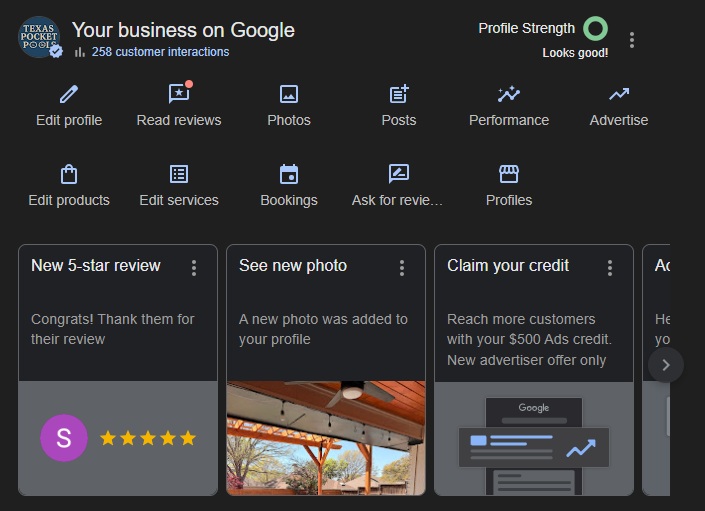
Step 4: Add High-Quality Photos — And Keep Adding Them
Photos are not decorative. Profiles with photos receive 42% more requests for directions and 35% more website clicks than those without.
Add at minimum:
- A cover photo — your storefront, office exterior, or primary service environment. This is the first visual impression most people get.
- A profile photo — your logo or a professional headshot if you’re a solo practitioner.
- Interior shots — what it looks like inside your space.
- Team photos — people want to know who they’ll be working with.
- Service or product photos — show the work, the product, the experience.
For Coachella Valley businesses especially, photos that reflect the local environment — desert landscape context, outdoor spaces, pool-adjacent settings for hospitality or service businesses — outperform generic stock images in both click-through and trust signals.
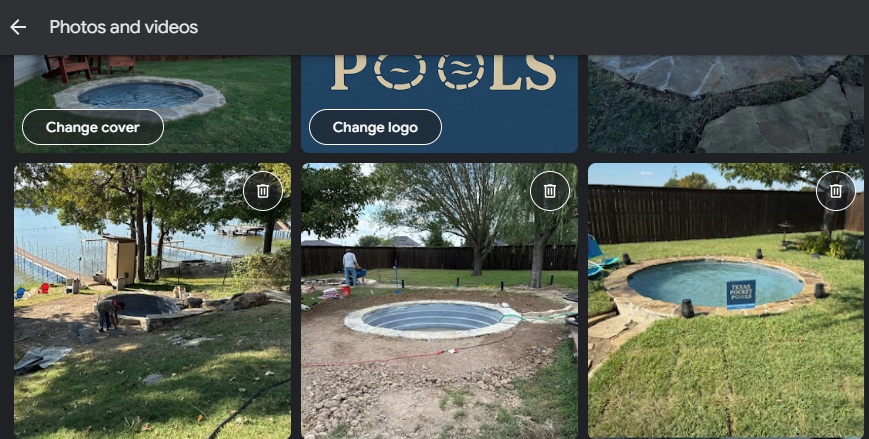
Aim for a minimum of 10 photos to start. Add new ones monthly. Google’s algorithm rewards freshness signals, and a regularly updated photo library is one of the easiest ways to generate them.
Step 5: Build and Manage Your Reviews Aggressively
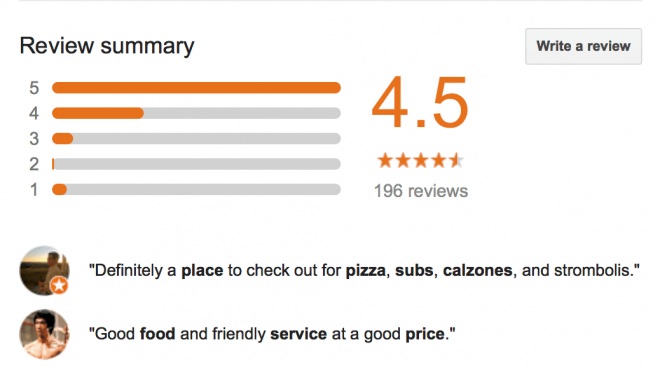
Reviews are a primary local ranking factor. Volume, recency, rating, and whether you respond — Google weighs all of it.
The most important things to know:
Ask for reviews consistently. 62% of customers will write a review when asked directly. Most businesses ask occasionally or not at all. Build a system: a follow-up text or email after every transaction, a card in the bag, a line on the receipt. The businesses dominating local pack results in competitive categories almost always have more recent reviews than their competitors.
Respond to every review. Every one — positive and negative. Responding to positive reviews shows appreciation and signals to Google that you’re an active, engaged business. Responding to negative reviews professionally demonstrates character to every potential customer reading the exchange. Businesses that respond to reviews within 24 hours see improved local rankings.
Never buy reviews. Google is increasingly good at detecting inauthentic reviews, and the penalty — profile suspension — is not worth it.
Step 6: Use Google Posts Weekly
Google Posts are one of the most underused features on the entire platform. They appear directly on your profile in search results and on Maps, acting as live updates that tell both Google and potential customers that your business is active.
Post at minimum once per week. Options include:
- Offers and promotions
- Events (grand openings, seasonal sales, community involvement)
- Product or service spotlights
- General updates (“Now offering X,” “Summer hours in effect”)
Each post supports up to 1,500 characters, a photo or video, and a call-to-action button. Keep posts local and specific — “now serving La Quinta and surrounding areas” outperforms generic national-feeling copy for local SEO purposes.
Posts don’t directly boost rankings in the way categories and reviews do, but they signal activity and freshness — which Google factors into how prominently it displays your profile.
Step 7: Optimize the Q&A Section Before Anyone Asks
The Q&A section on your profile is publicly visible and — critically — anyone can answer questions posted there, not just you. That means a competitor or misinformed person could be answering your potential customers’ questions right now.
Get ahead of it: seed your own Q&A section with the questions customers actually ask you. “Do you offer free consultations?” “Do you serve Indian Wells and Rancho Mirage?” “What are your payment options?” “Is parking available?” Write the questions yourself, answer them with keyword-relevant, useful responses, and monitor regularly for new questions that need a timely response.
This section also appears in AI-generated search summaries increasingly often — making it more valuable than most businesses realize.
Step 8: Keep Your NAP Consistent Everywhere
NAP stands for Name, Address, Phone Number — and consistency across every platform where your business is listed is a foundational local SEO signal. Google cross-references your GBP data against Yelp, Apple Maps, Bing Places, industry directories, and your own website. Inconsistencies — different phone numbers, old addresses, name variations — create ambiguity that suppresses rankings.
Audit your citations across the major directories and clean up any inconsistencies. For businesses operating in the Coachella Valley that may have moved, rebranded, or added locations over the years, this is often where significant ranking recovery is hiding.
The One Thing Most Guides Don’t Tell You
Optimization isn’t a one-time project. The businesses showing up first in local pack results aren’t there because they set up their profile perfectly two years ago. They’re there because they’re treating their GBP as an active marketing channel — new photos, weekly posts, review responses, Q&A updates, category checks.
Google rewards consistency and activity. A profile maintained over 12 months consistently outperforms one that was optimized perfectly once and then ignored.
The good news: most of your local competitors aren’t doing this. A basic profile is the standard. A genuinely optimized, actively maintained GBP is the exception — and the exception is what shows up in the map pack.
Quick Reference: GBP Optimization Checklist
- Profile claimed and verified
- Primary category is specific and accurate
- All profile fields completed — no blank sections
- Minimum 10 high-quality photos uploaded
- Business description written with primary keyword in first sentence
- Review request system in place
- All reviews responded to within 24 hours
- Google Posts published weekly
- Q&A section seeded with common questions
- NAP consistent across all directories
- Hours current and updated for holidays
If your GBP isn’t performing the way it should — or you’re not sure where you actually stand in local rankings — a baseline audit is the right place to start. We do them for free, and we’ll tell you honestly what’s working, what isn’t, and what the fastest path to improvement looks like.
Lionwish is a digital marketing consultancy based in Palm Desert, CA, serving small and mid-sized businesses across the Coachella Valley and Southern California.