
If you’re still manually pulling Google Ads data every week — exporting CSVs, reformatting columns, calculating week-over-week deltas by hand, then writing a summary that buries the important stuff in paragraph four — you’re spending serious time on a job that AI can do in minutes. And do better.
This isn’t a pitch for a specific tool. It’s a practical breakdown of how AI-powered Google Ads reporting actually works, what it replaces, and what you should be doing with the time you get back.
The Real Problem with Google Ads Reporting
The data isn’t the problem. Google Ads gives you more data than most businesses know what to do with — campaigns, ad groups, keywords, match types, devices, time segments, geographic breakdowns. The platform hands it all over.
The problem is the gap between raw numbers and an actual decision.
A spreadsheet full of impressions, clicks, CTR, CPA, and ROAS tells you what happened. It doesn’t tell you why it happened, which campaigns to scale, which keywords are bleeding budget, or what to do on Monday morning. Turning data into that level of insight requires interpretation — and doing that manually, consistently, every week, for every campaign, is where reporting breaks down.
Most businesses either spend too much time on reports that still don’t answer the right questions, or they skip the analysis and make budget decisions on gut feel. AI closes that gap.
What AI-Powered Google Ads Reporting Actually Does
When people say “AI reporting,” they mean a few distinct things — and it’s worth being specific about each.
Automated data aggregation is the baseline. Instead of logging into Google Ads, exporting, pasting into a spreadsheet, and repeating for each campaign or account, the data pulls automatically on a schedule into a dashboard or reporting system. This alone saves hours per week for anyone managing multiple campaigns or accounts.
Anomaly detection is where it gets more useful. Instead of you noticing that conversions dropped 30% on mobile last Tuesday — if you notice at all — an AI monitoring system flags it automatically, with context. Campaign X’s CPA jumped 47% this week because keyword Y generated 200 clicks with zero conversions. That keyword alone burned $340. That’s the difference between a dashboard and an analyst.
Natural language narrative generation is the layer most businesses are underusing. AI can take a week of campaign data and write a plain-English summary: organic traffic is up, cost per conversion improved from $47 to $38, the new ad group targeting home services is outperforming the control group by 22%, recommend increasing its daily budget by $50 and reviewing the underperforming match type in campaign three. That’s a report someone will actually read and act on — not a spreadsheet they’ll skim and close.
Predictive analysis rounds it out. Based on current spend rate and conversion trends, your campaign is pacing to overspend its monthly budget by $800 by day 22. That alert, delivered automatically before the overspend happens rather than discovered in a month-end review, is the kind of insight that changes how you manage campaigns.
The Setup: Three Approaches, Ranked by Complexity
You don’t need to be technical to automate your Google Ads reporting. The approach depends on your budget, your data volume, and how customized you need the output to be.
The no-code route connects Google Ads to a reporting platform — Looker Studio via native connector, or a tool like Whatagraph, Narrative BI, or similar — and uses AI-generated summaries to produce the narrative layer on top of the automated data pull. Setup time is measured in hours, not weeks. This is the right starting point for most small and mid-sized businesses.
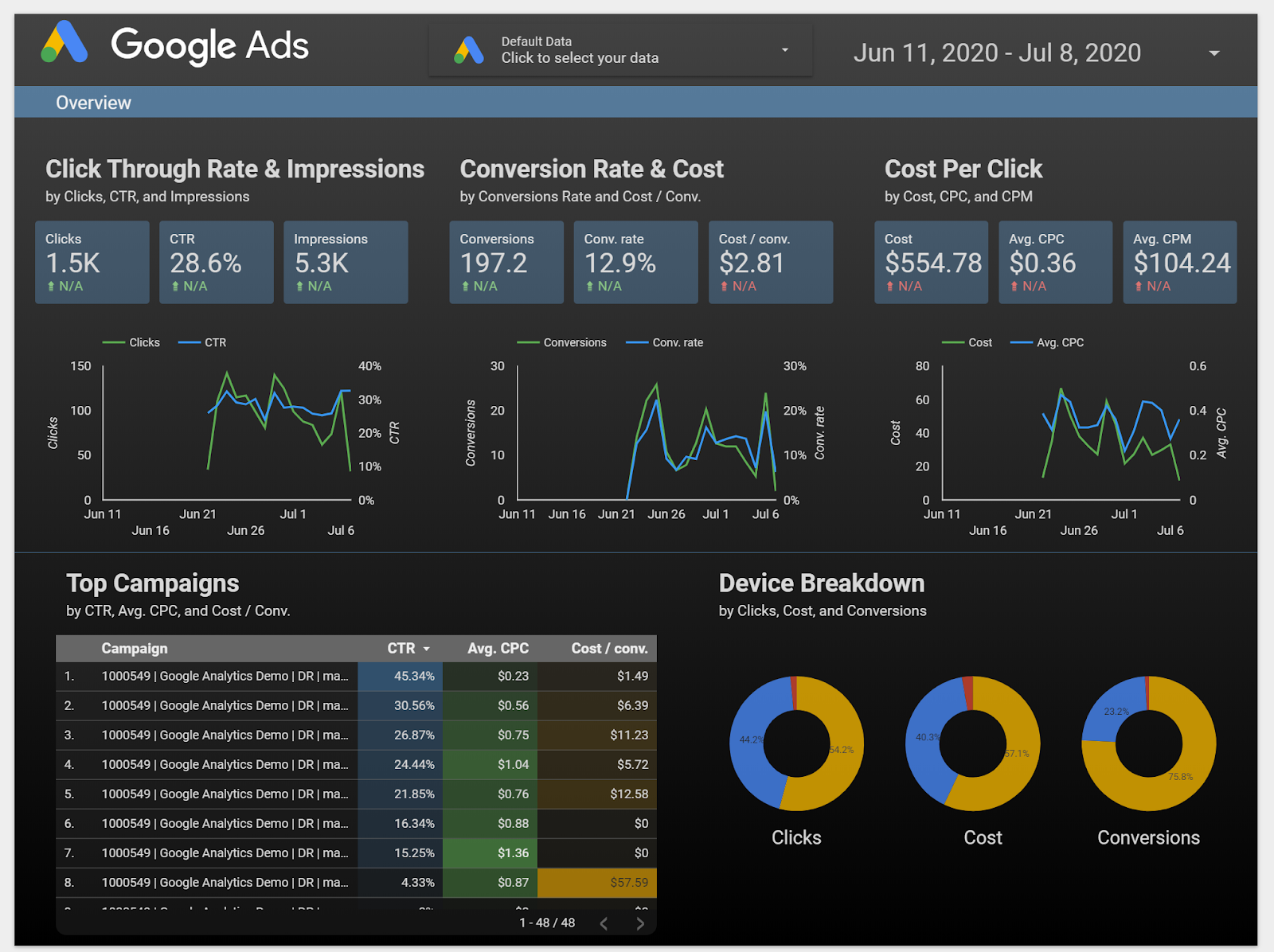
The AI-assisted middle ground uses tools like ChatGPT or Claude in combination with structured data exports or Google Sheets integrations. You build a reporting template, connect your data source, and use AI to generate the weekly narrative and flag notable changes. More flexible than plug-and-play tools, still no coding required.
The custom AI agent approach — used by agencies managing large accounts or hundreds of campaigns — connects directly to the Google Ads API via Python or similar, runs automated analysis on a schedule, and delivers a complete report with keyword-level drill-downs, budget pacing projections, and actionable recommendations. This approach can process 200 campaigns in under 60 seconds and reduce manual campaign management from hours per day to minutes of review.
Most business owners running their own Google Ads don’t need the third option. The first or second gets you 80% of the value with 20% of the setup effort.
What Good Automated Reporting Covers
Regardless of which approach you use, a properly automated Google Ads report should answer the following questions every reporting period without you having to dig for them:
- Spend vs. budget pacing — are campaigns on track to hit their monthly budget, over, or under?
- Cost per conversion by campaign and ad group — not just overall, but broken out so you can see which campaigns are working and which are pulling the average up
- Week-over-week and month-over-month deltas — numbers without comparisons are just numbers
- Top and bottom performers — campaigns, ad groups, and keywords ranked by conversion efficiency
- Wasted spend signals — keywords or match types generating clicks without conversions
- Budget reallocation opportunities — where pulling $200 from a low-performer and adding it to a high-performer changes your cost per lead
If your current reporting answers all of those questions automatically, you’re in good shape. If you’re manually building any of that every week, you’re leaving time and money on the table.
Why This Matters More Now
Google Ads’ Smart Bidding algorithms optimize based on conversion signals. The quality of your campaign performance is directly tied to the quality of the data going in — and the quality of your strategic decisions is directly tied to the quality of the reporting coming out.
As Performance Max campaigns take a larger share of most advertisers’ budgets, the platform is making more decisions automatically. That makes the reporting and analysis layer more important, not less. You need to understand what the algorithm is doing and why in order to guide it effectively — and that requires consistent, clear reporting that goes deeper than the default dashboard.
Businesses that automate the data layer free up time to do the strategic work the algorithm can’t do: understanding their customers, testing new offers, identifying seasonal patterns specific to their market, and making the judgment calls that determine whether AI optimization is actually serving real business goals.
The Bottom Line
Manual Google Ads reporting isn’t just inefficient — it’s a strategic liability. When reporting takes three hours, you produce a summary and call it done. When it takes fifteen minutes, you have the time and clarity to make better decisions more often.
AI doesn’t replace the strategy. It eliminates the busywork that’s been standing between you and it.
If you’re running Google Ads and spending meaningful time on manual reporting every week, the ROI on automating that process — whether through a no-code tool or a more customized setup — is one of the fastest wins available in your marketing operation.
Lionwish is a digital marketing consultancy based in Palm Desert, CA. We help businesses across the Coachella Valley and Southern California build marketing systems that produce measurable results — including AI-powered reporting and automation for paid search. If you want to know what an automated reporting setup would look like for your Google Ads account, we’re easy to reach.